
An impression on LinkedIn is one time your post was shown on someone's screen. It is not one person, one read or one click. The same person can generate several impressions, so impressions measure exposure, and for B2B you judge the number by who saw the post and what they did next.
A post with 20,000 impressions and zero conversations does less work than a post with 900 impressions and two inbound messages from buyers. This guide explains what the number means, how it differs from reach and views, and the small set of metrics that tell you whether LinkedIn is producing pipeline.
Start free with SocialPost.ai if you want your LinkedIn posts drafted, scheduled and tracked without spending your week on it.
What does LinkedIn count as an impression?
LinkedIn's own post analytics help page defines impressions as the "number of times your post was shown on LinkedIn." It also states that the numbers in your post analytics are estimates and may not be precise. Three details matter for founders:
Comments have impressions too. LinkedIn's comment analytics page says a comment impression is counted each time someone views your comment, the count is non-unique, and only you can see it. Comment impressions show on the comment itself and are not shown in any dashboard, so your commenting reach hides inside the comment.
How are impressions different from members reached and views?
These numbers sit near each other and measure different things. Use these cards as the reference.
Source: LinkedIn's post analytics help page, checked November 2026.
The in-network and out-of-network split is the one most founders skip, and it is the one that tells you whether a post found new buyers.
What is a good number of impressions on LinkedIn?
There is no universal number. Audience size, posting history and format change the result. The most useful public benchmark found for this guide is Socialinsider’s LinkedIn benchmarks, built from about 2.45 million posts across about 26,000 LinkedIn company pages, using 2025 data. It covers company pages, not personal profiles, so use it as a rough reference, not a target for your own profile.
Source: Socialinsider, 2025 data for LinkedIn company pages. Impressions are for pages with 1,000 to 5,000 followers; engagement rates are averages across all pages in the study.
Socialinsider calculates engagement rate as reactions, comments and shares divided by impressions, and reports a 5.20% average across LinkedIn in 2025. Two takeaways. First, link posts sit at the bottom on both measures, which supports the common habit of placing links in the first comment. Second, a post with 300 impressions is normal for a small page, not a failure.
What should a B2B founder track after impressions?
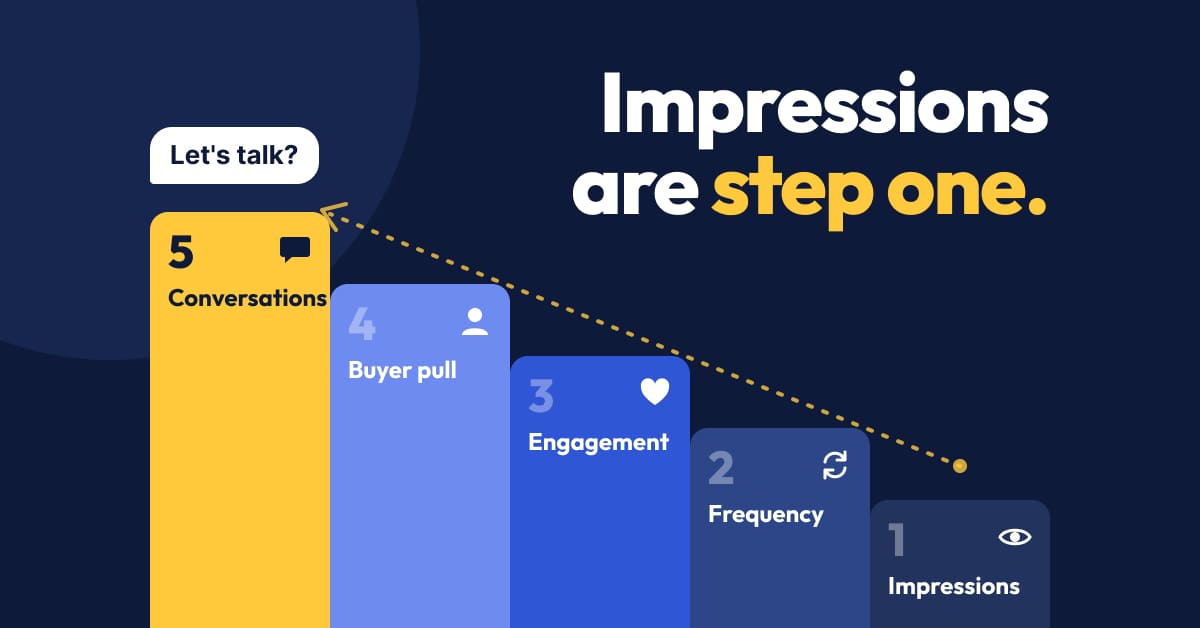
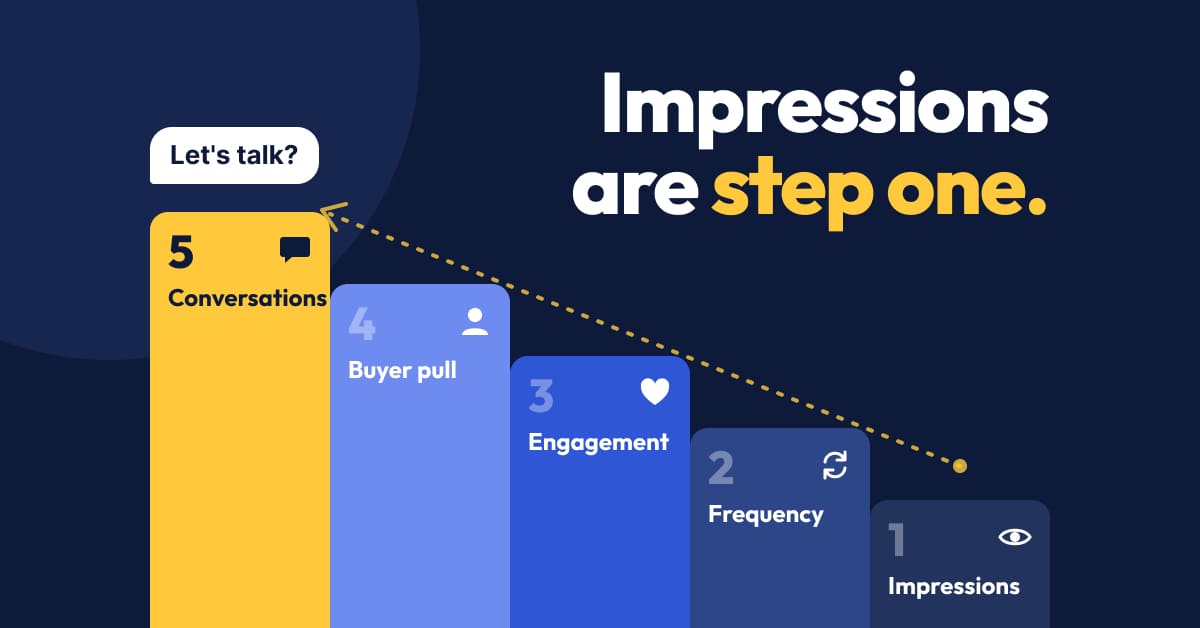
This is the part most guides skip. For a SaaS founder, an MSP owner or a professional firm partner, impressions are step one of a five-step ladder. Read it from the bottom up and stop at the first number that looks weak.
LinkedIn gives you steps 1 to 4 inside post analytics: impressions, members reached, reactions, comments, reposts, profile viewers and followers gained. Step 5 you log by hand, which is why the weekly habit below matters.
What does the ladder look like on three example posts?
Example data, invented to show the method, not real results. A founder who sells managed IT services publishes three posts in one week.
Post A wins on impressions and loses on everything that matters. Post B has about a quarter of the exposure and produced the buyer conversations. Post C reached a small group repeatedly, which suits a post meant for warm contacts. The decision: write more posts like B, and stop judging the week by the biggest number in the dashboard.
Why can impressions mislead a B2B founder?
How do you review impressions in five minutes a week?
Do this once a week, ideally Friday. Copy the checklist into a spreadsheet or your notes.
After ten weeks you have a baseline of your own, which is worth more than any public average. The free LinkedIn engagement rate calculator handles step 3, and this guide to tying LinkedIn posts to clients covers step 5 in more detail.
How do you earn more of the right impressions?
Skip tricks. Three habits move the right number.
If posting consistently is the real bottleneck, start free with SocialPost.ai. It drafts on-brand LinkedIn posts for you to approve, and Insights shows which posts are working.
Frequently asked questions
What is an impression on LinkedIn?
An impression is one showing of your post on LinkedIn. LinkedIn's help center defines it as the number of times your post was shown, and repeat views by the same person count again.
What is the difference between impressions and members reached?
Impressions count every showing, including repeats. Members reached is an estimate of the distinct members and Pages that saw your post, with repeat views excluded. Divide impressions by members reached to see how often the average person saw it.
Do my own views count as impressions?
Yes. LinkedIn states that your own views, social engagements, link engagements, saves and sends are counted towards your post analytics, so if you check your own post a few times, expect the number to move.
What is a good number of impressions on LinkedIn?
It depends on audience size. In Socialinsider's 2025 data for company pages with 1,000 to 5,000 followers, average impressions per post ranged from 235 for link posts to 525 for native documents. Personal profiles differ, so compare your posts to your own last 10 rather than to a stranger's screenshot.
Are LinkedIn impressions the same as views?
No. Views depend on content type. LinkedIn counts a video view after two or more continuous seconds of watching, and article views are the times an article was seen on LinkedIn or by email. A standard text post shows impressions, not views.
Why are my LinkedIn impressions so low?
Check three things: whether the post was published when your buyers are online, whether the first line earned a reaction or comment, and whether you posted often enough to build a baseline. One low post proves nothing. Ten posts in a row is a pattern.
Do comment impressions show in my analytics dashboard?
No. LinkedIn says comment impressions show as part of the comment itself, only you can see them, and they are not shown in any dashboard.
Where do you go from impressions to pipeline?
Pick the one post from this week with the most profile viewers and inbound messages, and write the next one in the same way. If you want the drafts done for you, start free with SocialPost.ai.